


What is Proxifier?
Proxifier is a powerful desktop application that allows programs without native proxy support to connect through HTTPS, HTTP, or SOCKS5 proxies. It’s ideal for routing traffic securely, managing application-specific connections, and providing an alternative to VPNs. Its rule-based setup lets you assign proxies to specific applications, giving you precise control over your internet usage. Prefer an enterprise-grade guide? Learn more about Oculus Proxies Proxifier Integration Guide.How to Integrate Toolip With Proxifier
1
Download and Install Proxifier
1. Visit the Proxifier website and download the application.2. Follow the installation instructions and launch Proxifier on your system.
2
Open Proxy Settings
1. In Proxifier, go to the Profile menu.2. Select Proxy Servers to access proxy configurations.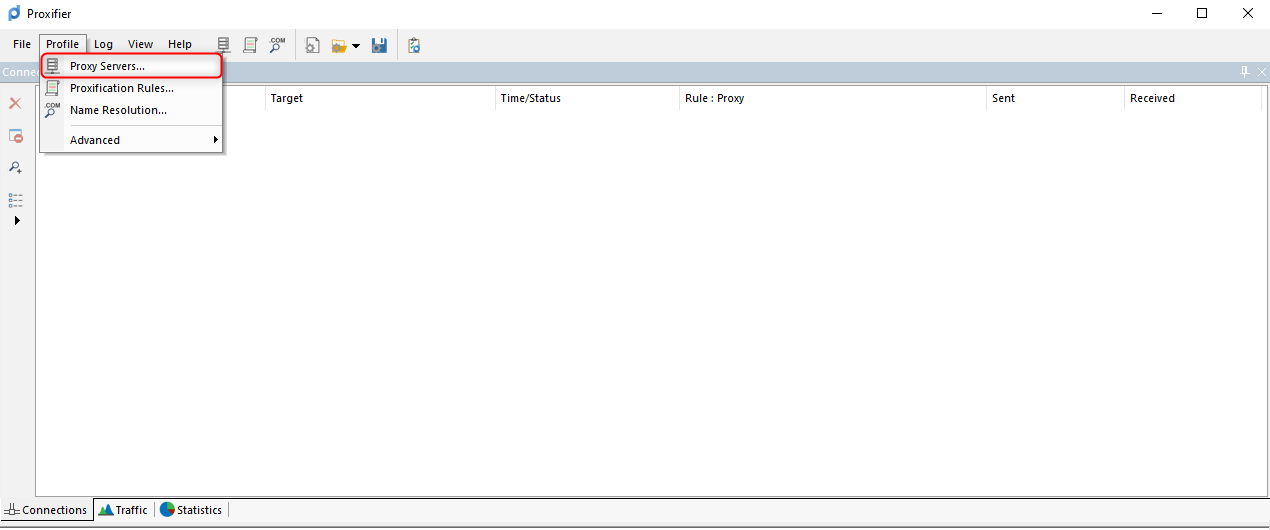
3
Add Your Toolip Proxy
1. Click the Add button to configure a new proxy.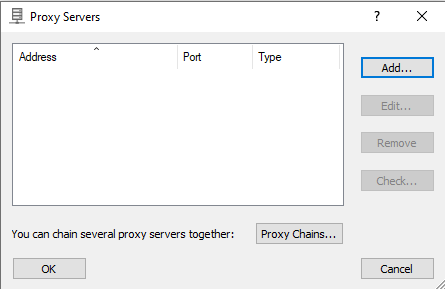
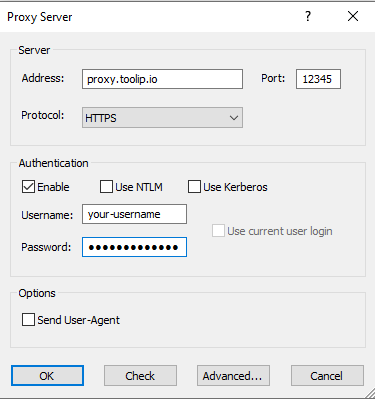
- Type: Select HTTP, HTTPS, or SOCKS5.
-
Address:
proxy.toolip.io - Port: Get from your Toolip dashboard.
- Username & Password: Enter your Toolip credentials.
For geo-targeted proxies, format your username like
your-username-country-US to use a specific region.4
Test the Proxy Connection
1. In the Proxy Servers section, select the proxy you added.2. Click Check and then Start Testing.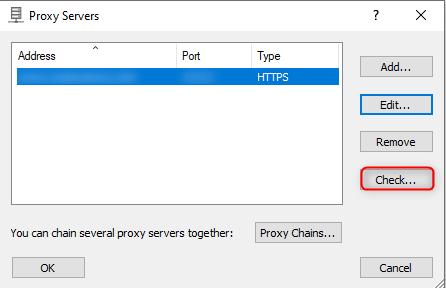
5
Create Proxy Rules for Applications
1. Go to Profile > Proxification Rules.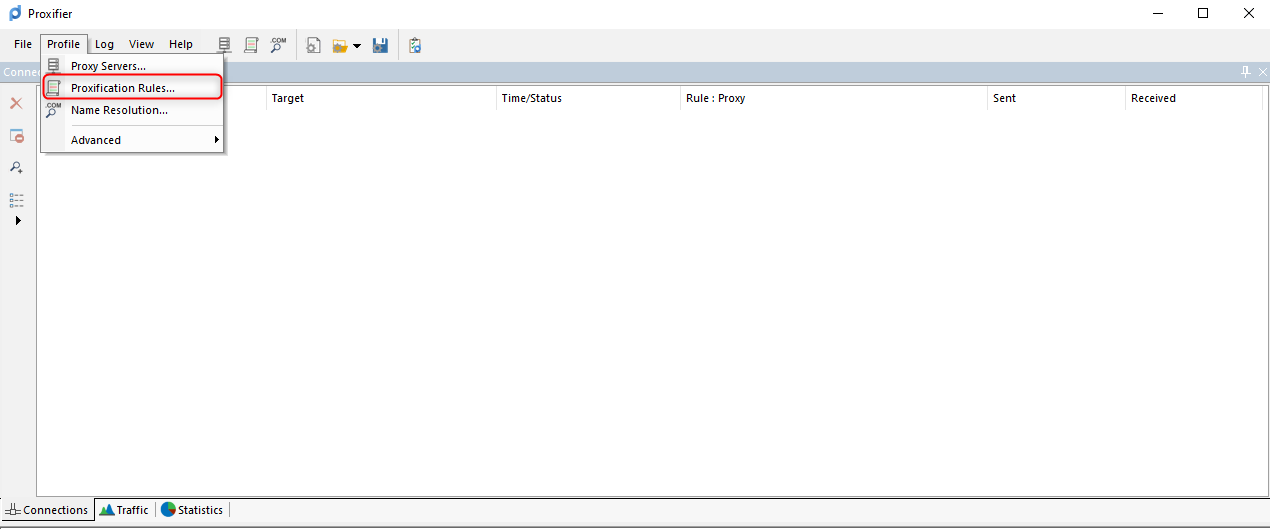
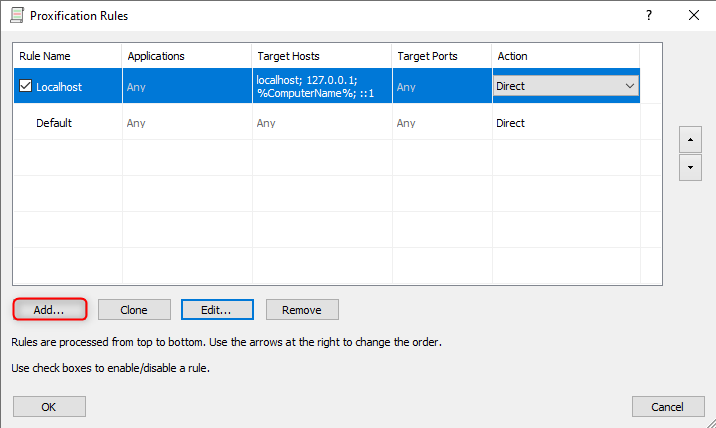
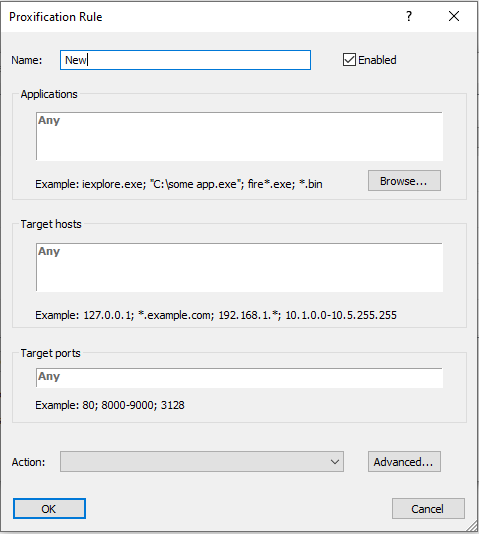
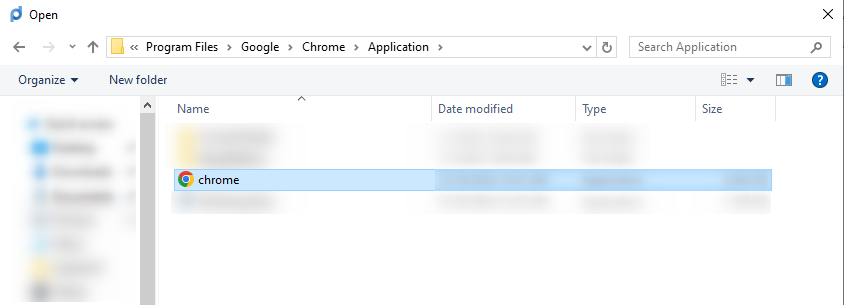
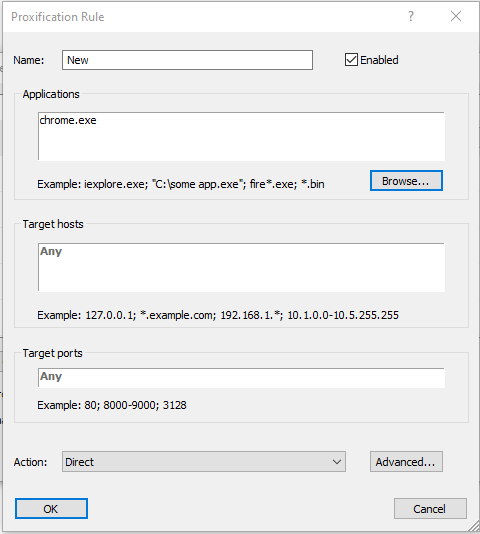
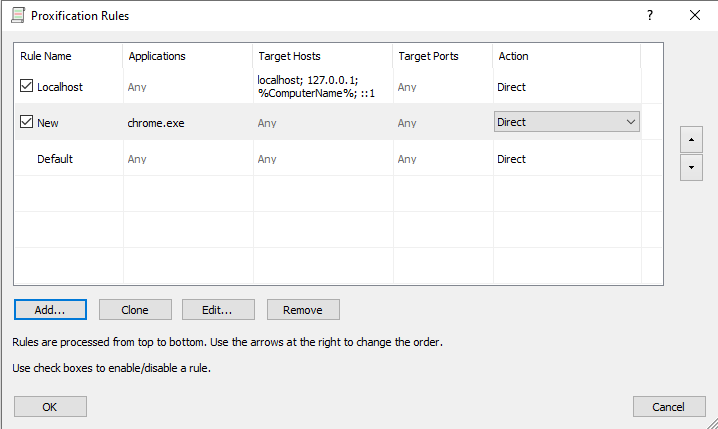
- Proxy (recommended for private browsing).
- Direct (if you want to exclude certain apps).
- Block (to restrict internet access).
6
Verify and Start Browsing
1. Open the application you assigned to the proxy.2. Visit an IP-checking website like httpbin.org/ip.3. Ensure the displayed IP matches your Toolip proxy to confirm the setup.