What is Potatso?
Potatso is an advanced proxy manager for iOS that supports multiple proxy types, including Shadowsocks, ShadowsocksR, HTTP, and SOCKS5. Whether you need to bypass geo-restrictions, secure your internet connection, or optimize your network routing, Potatso provides a seamless way to manage your proxy configurations. By integrating Toolip, you can improve connection privacy, ensure stable browsing, and securely manage traffic over both Wi-Fi and cellular networks. Prefer an enterprise-grade guide? Learn more about Oculus Proxies Potatso Integration Guide.How to Integrate Toolip With Potatso
1
Download Potatso
1. Open the App Store on your iPhone.2. Search for Potatso and tap Download.
2
Add a New Proxy
1. Open Potatso and tap Add a Proxy on the main screen.
3
Select Manual Input
1. Choose Add to manually input your proxy settings.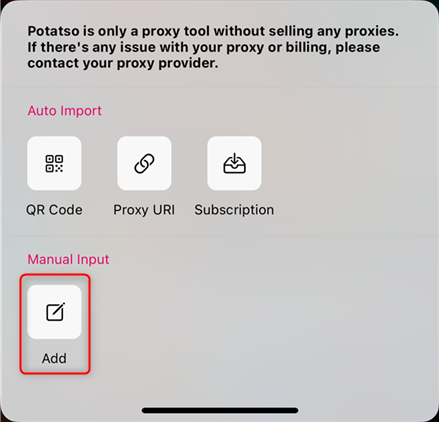
4
Enter Toolip Proxy Details
1. Fill in the required fields with your Toolip proxy credentials: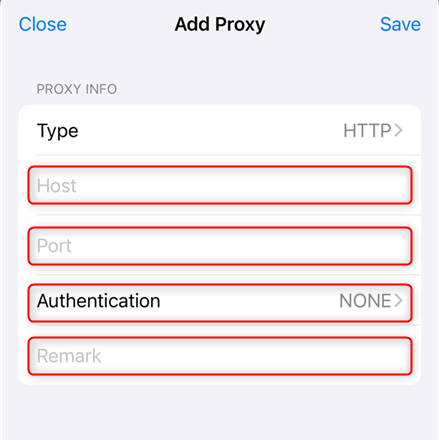
-
Host:
proxy.toolip.io - Port: Enter the port number from your Toolip dashboard.
- Remark: Assign a name to identify this proxy configuration.
- Username: Your Toolip username.
- Password: Your Toolip password.
5
Save the Proxy Configuration
1. Tap Save to store the proxy settings.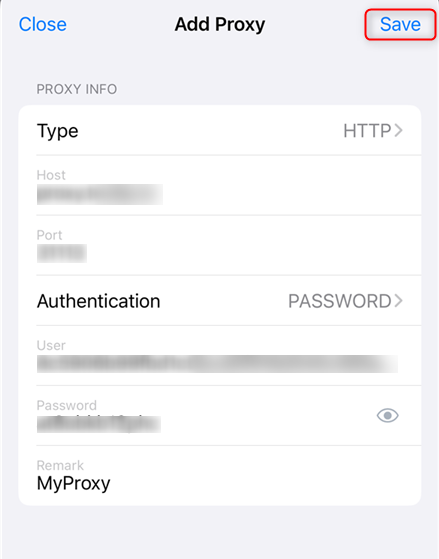
6
Enable the Proxy
1. Tap the Play button at the bottom of the screen to activate the proxy.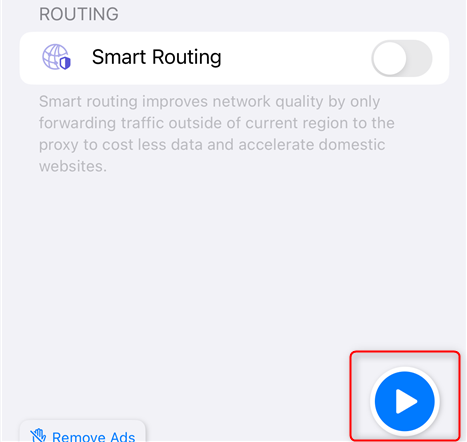
7
Allow VPN Configuration
1. When prompted, tap Allow to approve VPN Configurations.2. Enter your device passcode if required.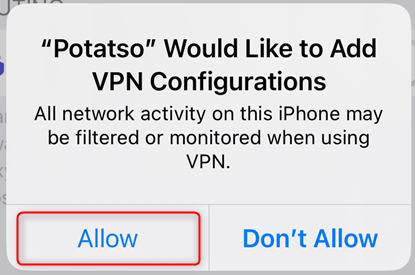
8
Verify the Connection
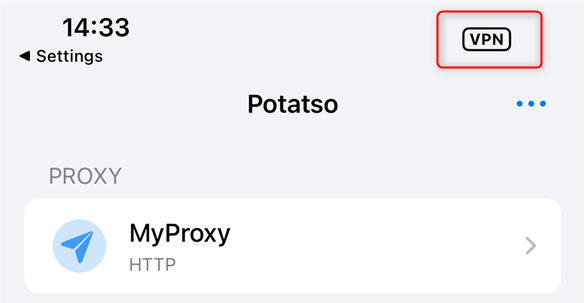
1. Once the proxy is active, you will see a VPN icon at the top of your iPhone screen.2. Open Safari or any browser and visit httpbin.org/ip to check if your IP address matches the Toolip proxy.