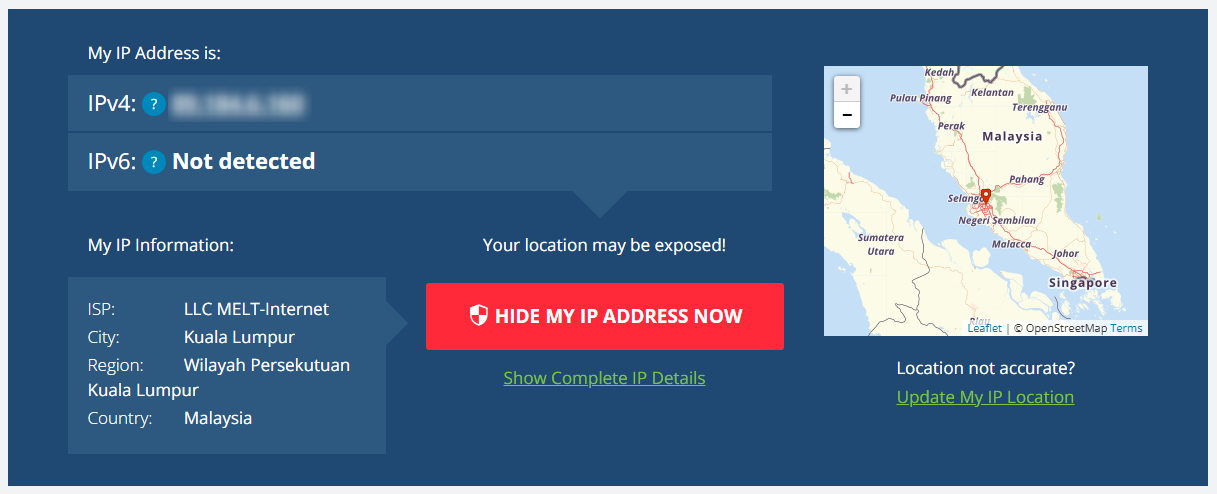
What is SRWare Iron Browser?
SRWare Iron is a privacy-focused web browser based on Chromium, designed to offer a secure and tracking-free browsing experience. Unlike traditional browsers, it removes invasive tracking features, ensuring better data protection. It is ideal for users who prioritize security while maintaining the familiar Chrome-like interface. With Toolip, you can further enhance anonymity, utilize secure proxy connections, and bypass restrictions for seamless and private online browsing. Prefer an enterprise-grade guide? Learn more about Oculus Proxies Srware Iron Integration Guide.How to Set Up Toolip With SRWare Iron Browser
1
Install
Get SRWare Iron Browser and complete the installation.
2
Access Settings
Click the three-dot menu and go to Settings.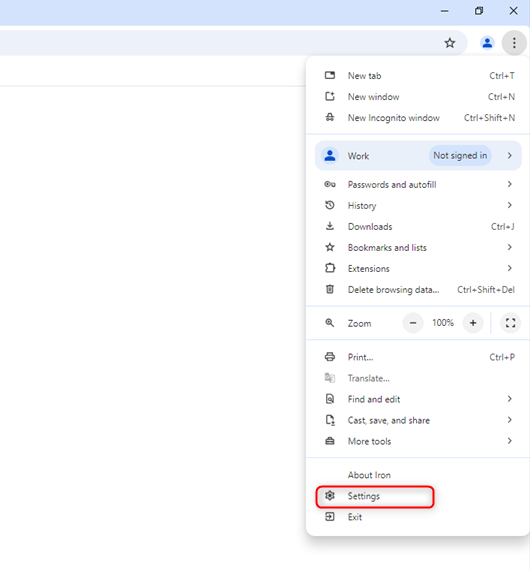
3
Set Up Proxies in Your Operating System
SRWare Iron uses your system-wide proxy settings, so you’ll need to configure your proxies at the OS level. Follow the detailed setup guide based on your operating system:
- Windows
- macOS
Follow the complete Windows proxy setup guide to configure Toolip proxies on your system.
4
Authenticate Connection
Close settings, refresh the webpage, and enter your credentials when prompted.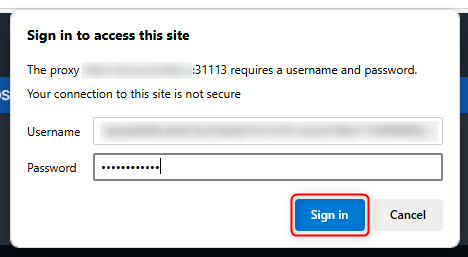
5
Start Browsing Securely
Your proxy is now active — enjoy private and secure browsing!