


How to Change Proxy Settings in Firefox
Prefer an enterprise-grade guide? Learn more about Oculus Proxies Firefox Proxy Setup.1
Access Firefox Settings
1. Open Firefox.2. Click the menu icon (three horizontal lines) in the top-right corner.3. Select Settings from the dropdown.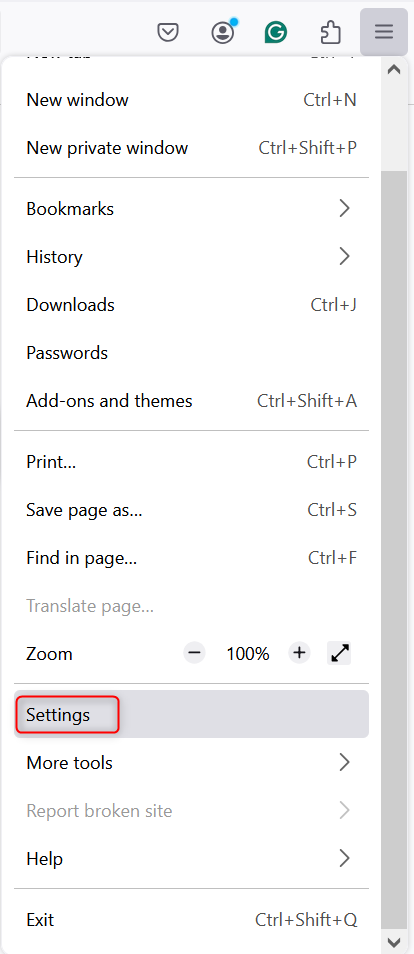
2
Open Network Settings
1. Scroll down in the Settings menu.2. Locate the Network Settings section.3. Click Settings to open the proxy configuration panel.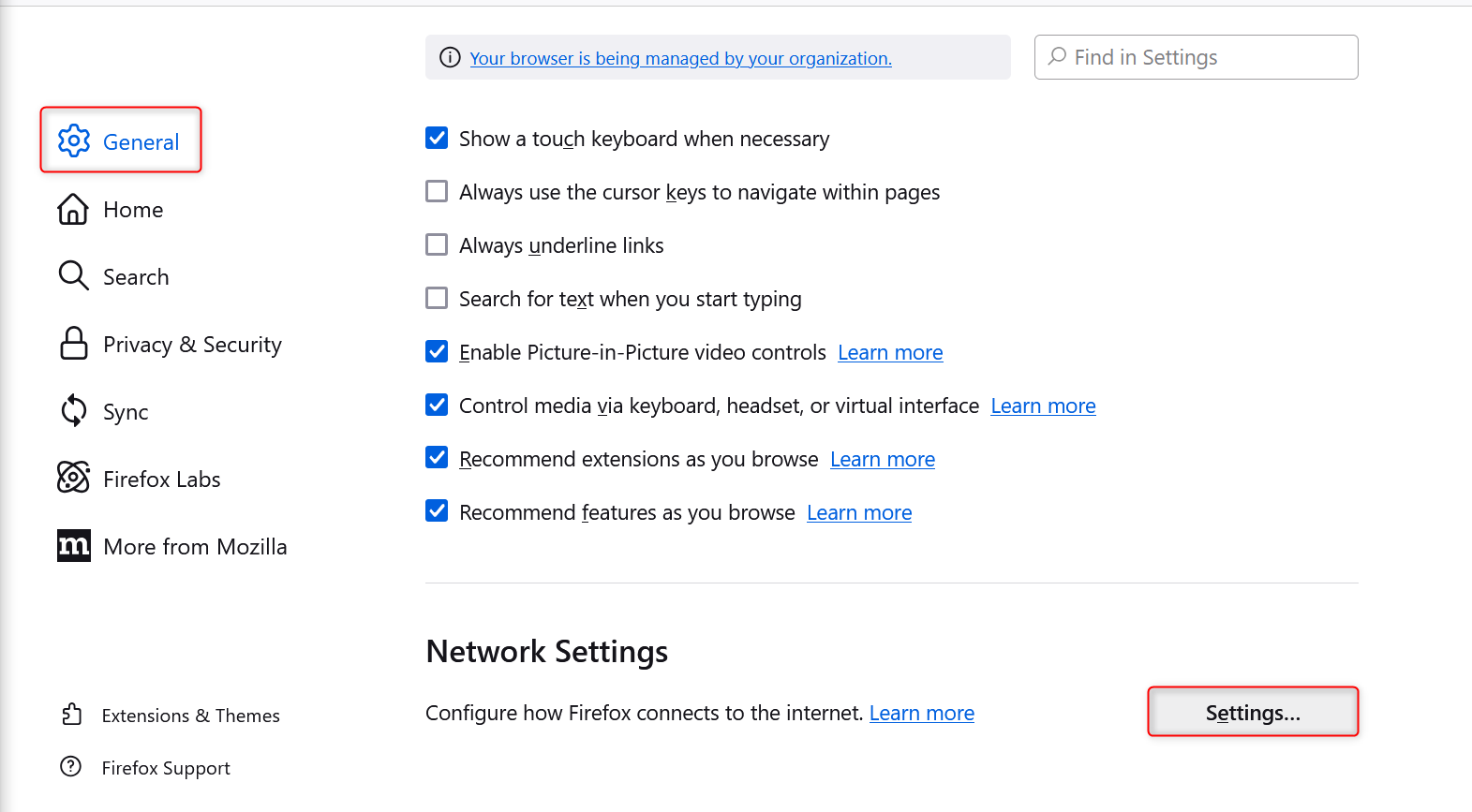
3
Configure Proxy Details
1. In the Network Settings window, select Manual proxy configuration.2. Enter your Toolip proxy details: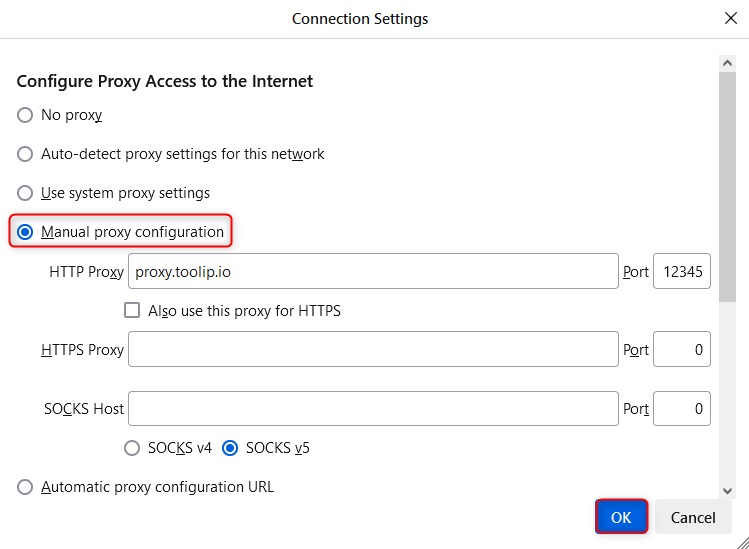
-
HTTP Proxy:
proxy.toolip.io - Port: Use the port number from your Toolip dashboard.
4
Save and Authenticate
1. Click OK to save your changes.2. When prompted while browsing, enter your Toolip username and password to authenticate the proxy connection.