

What is Che Browser?
Che Browser is a specialized anti-detect browser that replaces both browser and hardware fingerprints on your Windows machine. It allows you to operate several browser profiles at the same time, with each one appearing as a unique device to the websites you visit. By integrating Toolip, you can further enhance anonymity, manage proxies with ease, and ensure stable, geo-targeted connections across all your profiles. Prefer an enterprise-grade guide? Learn more about Oculus Proxies Che Browser Integration Guide.How to Integrate Toolip With Che Browser
1
Install
Download and install the latest version of Che Browser on your device.
2
Profiles
Navigate to the Profiles tab and select the profile you want to configure.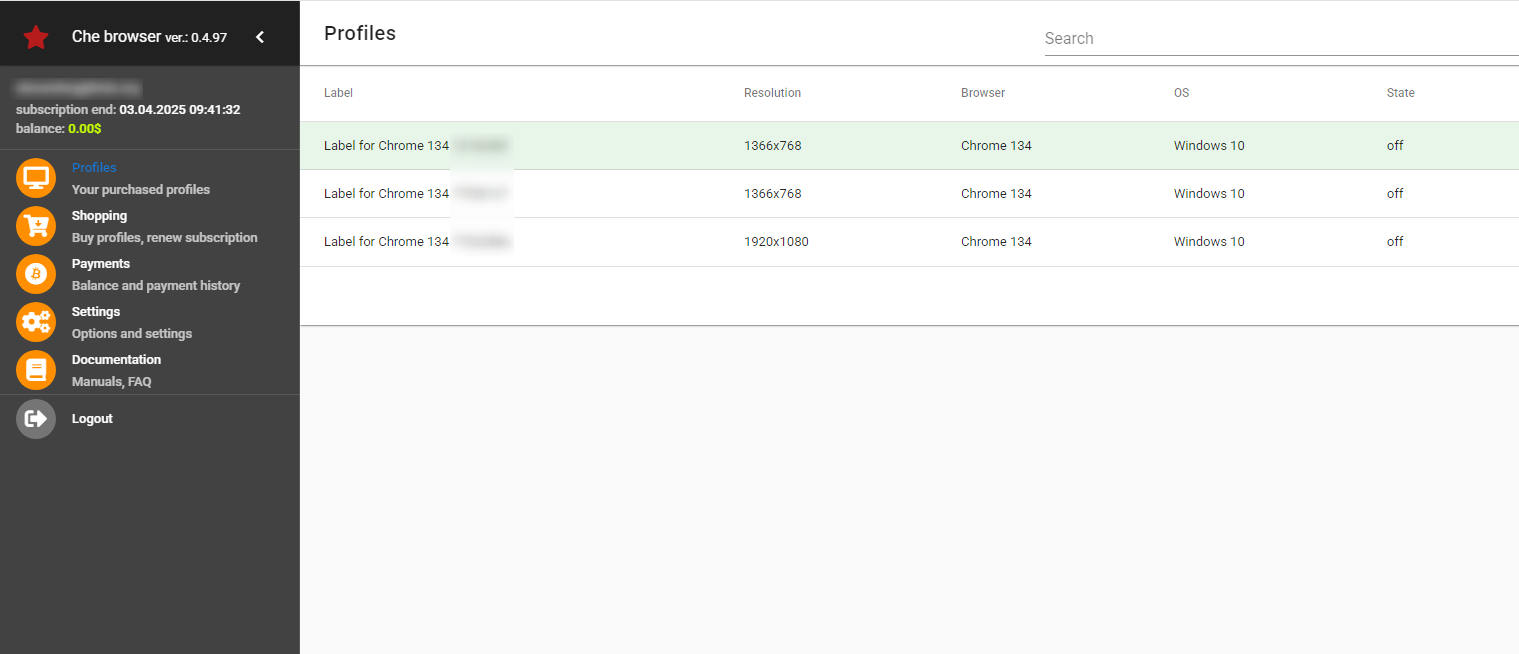
3
Enable Proxy Connection
Inside the profile settings, turn on Connection:direct.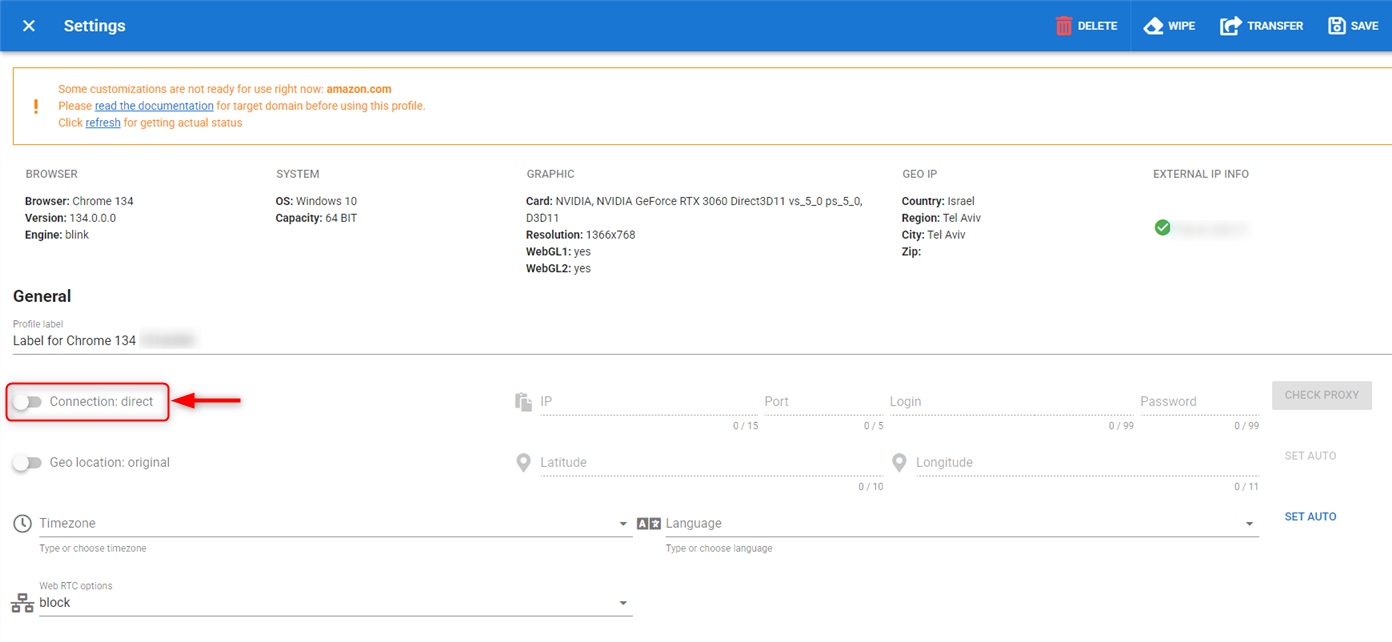
4
Fill Proxy Details
Che Browser supports only the SOCKS5 protocol, so be sure to use port 31115. Input your 
Host, Port, Username and Password.5
Validate Proxy
Click CHECK PROXY and verify that the location displayed above has changed.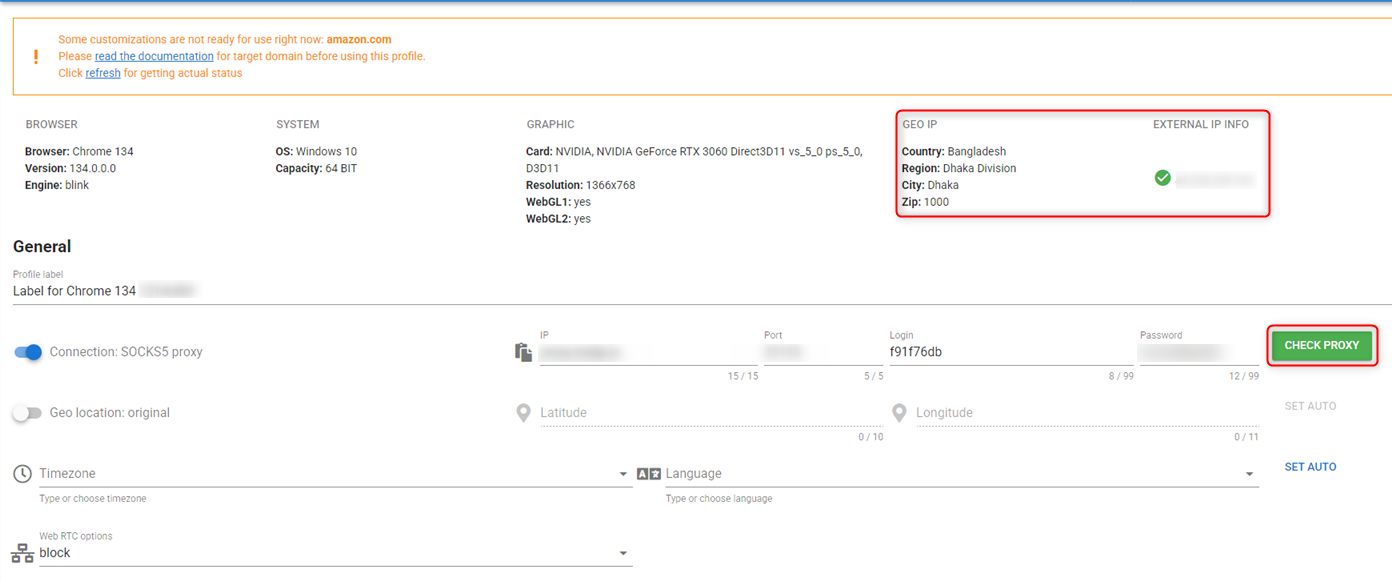
6
Save and Launch
Once the proxy test is successful, save the profile settings and launch the browser profile to begin secure and private browsing.